


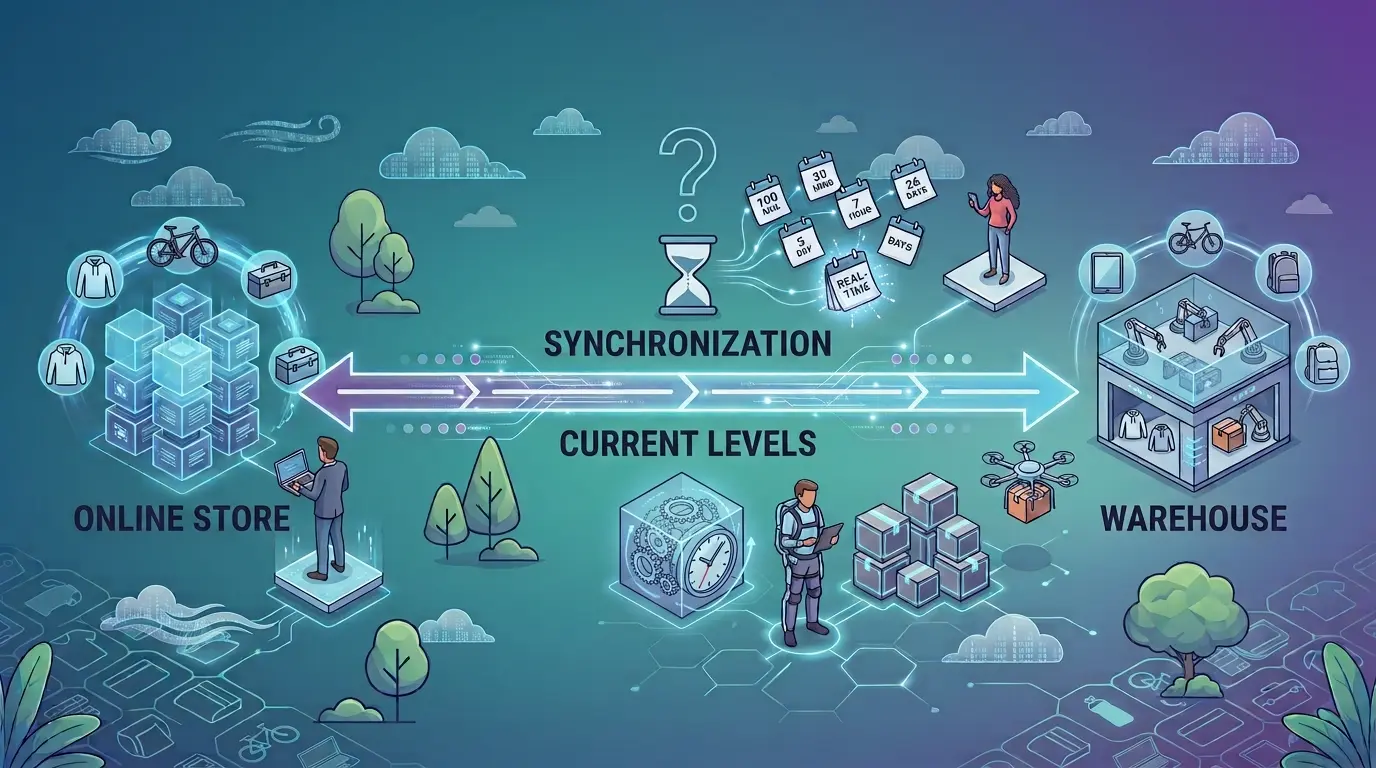
An order comes in first thing in the morning, and by the afternoon the item is gone. You write to the customer, issue a refund and pick up a bad review you did nothing to deserve. The natural reaction is to shorten the supplier inventory sync interval. From an hour to fifteen minutes, from fifteen to five. The trouble is that this interval only sets how often you ask your supplier about stock – not how often your supplier updates it. Here is where the delay actually comes from, how to find out how often your own supplier refreshes its data, and when shortening the interval changes anything at all.
You sync every 5 minutes. Your supplier refreshes the feed once an hour
Ask how often you should sync and you get a number – and every guide has a different one. Some recommend every 30 to 60 minutes, others hourly or four-hourly pulls, others still a few updates a day. All of those numbers describe the same thing: how often your shop goes and fetches the data.
But your shop does not create that data. Your supplier’s warehouse does, and it reaches you only once your supplier publishes it. If that happens once an hour, pulling every five minutes brings you nothing fresher. It brings you the same information, checked twelve times as often.
That does not make the interval meaningless. It just means the interval is not enough on its own – and that racing to the shortest possible setting, without checking the other end of the chain first, buys you the feeling of safety rather than safety itself.
Where the delay actually happens
Between a sale in your supplier’s warehouse and what your customer sees, there are three links in the chain.
The first: somebody buys the product from your supplier and the stock level in its warehouse drops. That change happens outside your shop, so you will only see it in the data you pull.
The second: your supplier writes the new level into the product feed, or exposes it through an API. This runs on its cycle, and that cycle is the ceiling for everything downstream. If the feed is generated once an hour, no setting on your side will make the data any fresher.
The third: your integrator – the tool that sits between the supplier and your shop – pulls the feed, normalises the data, because every supplier describes products differently, and passes the updated stock levels to your shop. This is where the interval you set does its work, and it is the only link you control in full.
The chain is only as good as its weakest link. Worth remembering especially when you work with several suppliers at once: you then have as many update cycles as suppliers, each running at its own pace.
How to find out how often your supplier refreshes the data
A sales rep’s word is a reasonable starting point, but it is not evidence. There are three ways to check it yourself.
Ask directly how often the product feed is updated. And while you are at it, ask about something most people skip: whether the stock level is a number of units or just an in-stock/out-of-stock flag. A bare "in stock" is fine for products your supplier holds in quantity. It gets harder when only the last few units are left, because "in stock" says the same thing whether there is one unit left or a hundred. Neither form is a flaw – they are simply different levels of detail. It is worth knowing which one you are getting, because with stock that runs down to the last few units, a bare flag means you have to be more careful than an exact count would.
Look for a timestamp in the feed. If your supplier publishes the date and time the feed was generated, you have your answer straight away, without asking anyone.
Test it yourself. Pull the feed a few times during the day and compare stock levels on a dozen or so fast-moving products. If nothing changed between the morning and the midday version, you have an answer you do not have to take on trust. This test shows the real age of the data regardless of what your supplier claims about how often the feed is generated.
The best time to run this check is while you are assessing a supplier’s product feed before you start working together – alongside the questions about descriptions, photos and variants.
When a short interval genuinely matters
Frequency is not a goal in itself. It is a matter of matching your pace to what you sell.
On products your supplier holds two of, every hour of delay carries a real risk of selling something that has already gone. On products available in the hundreds, the same delay changes almost nothing.
The second factor is your sales channel. In your own shop a cancellation is unpleasant. On a marketplace it costs you twice over, because platforms judge sellers on how many orders they actually complete, and a cancellation caused by missing stock counts against you in metrics the customer never sees.
The third is the season. Ahead of peak season, in November and December, the same products move out of warehouses faster than for the rest of the year, so settings you have not revisited since February will perform worse. That makes it a good moment to review your settings, before the first cancelled order does it for you.
Our integrator pulls data every 5 to 15 minutes, which works well for fast-moving lines and marketplace selling. That is a pull interval – not a promise that stock in your supplier’s warehouse changed five minutes ago. The difference matters, and we would rather say that plainly than dress it up as "real time", which simply does not exist in a chain that runs through a product feed.
And when a supplier refreshes its data once a day? Then shortening the interval fixes nothing. That leaves the decisions on your side: keeping your own safety margin on low-stock products and taking them off sale earlier, narrowing your range to items with stable availability, or looking for a different supplier – in which case it is worth seeing what we can connect you to and what those feeds look like.
What the delay costs
Out-of-date stock levels are one of the most common reasons orders get cancelled after the customer has already paid. Those are orders that have already cost you traffic, advertising and the work you put into your listings.
The bill does not end with the lost sale. There is the time spent explaining and refunding, sometimes a discount code to smooth things over, and on a marketplace a black mark on your account that outlasts the order itself. On top of that, a cancellation costs trust, which never shows up in any order statistic.
The other side of the bill is checking stock by hand. With a few dozen products you can keep an eye on availability yourself. With a few hundred it stops being realistic – which is why automatic synchronisation starts paying for itself somewhere between 200 and 500 products, not only once your catalogue is large. Checking by hand is not cheaper at that point; its cost simply never appears on an invoice, only in the time somebody spends on it.
The edge case: a supplier with no stock levels in the feed
There are product feeds with no availability data at all. A name, a price, a photo, a category – and nothing about whether the item is actually in stock.
At that point the frequency question disappears, because there is nothing to synchronise. No interval can produce data that does not exist at the source.
This describes a pattern, not particular companies – it happens with cheap suppliers and with those at the top of the market alike, and you usually only see it once a supplier is actually being connected to a shop. What to do when a supplier like that looks attractive in every other respect is covered in our piece on judging a supplier by its data.
One takeaway is enough here: this gap is different in kind from the others, because it alone decides whether dropshipping can be run automatically at all.
What to do on your side
Four things, in this order:
- Check your suppliers’ update cycles: ask, look for the timestamp in the feed, and watch it yourself for a day.
- Match the pull interval to stock turnover and sales channel, instead of setting the same value everywhere.
- Read your cancellations as data: if they are rising, the problem sits in one of the links, and you can work out which.
- If a supplier publishes no stock levels at all, treat that as information about the supplier, not as a problem to be solved with settings.
Supplier inventory sync frequency is not a race. Shortening the interval achieves nothing if your supplier refreshes the data less often anyway – so start by finding out how fast the source changes, and only then set your own pace.
And if that review shows your supplier is the bottleneck, have a look at the suppliers we have ready to connect – they are grouped by industry, so it is easy to see what is available in yours. For the wider picture of how stock synchronisation fits with the rest of your shop’s processes, see our article on online store automation.