


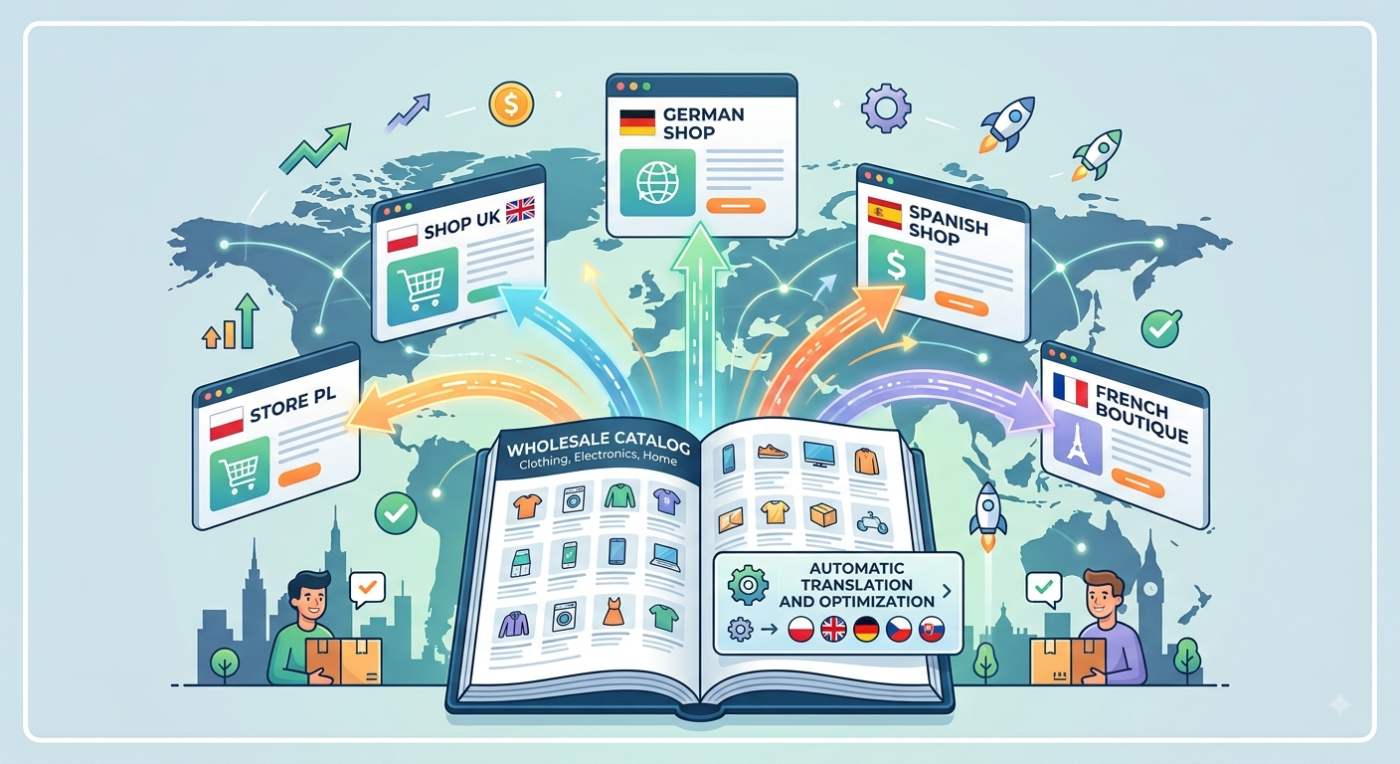
Want to sell abroad, but the thought of translating your whole catalog makes your head drop? In dropshipping you have an advantage that rarely gets mentioned: your descriptions come from a single source – the supplier feed. That means translation can happen automatically, at the point of entry into your store, into several languages at once. We’ll show you how it works and how to make sure translations don’t hurt your store’s image.
You want to sell abroad – and you’re stuck on descriptions
A foreign market tempts anyone who has hit the ceiling of domestic sales. The dropshipping model makes it easier still – you don’t organize a warehouse or shipping, so entering a new country is lighter than in classic e-commerce.
And then a wall appears: your entire catalog is in one language – the one your supplier delivers it in. Hundreds or thousands of products, each with a name, description, specification and SEO fields. A customer in Stockholm or Madrid won’t buy a product whose description they can’t understand.
Translating that catalog by hand is slow and expensive. Hiring translators separately for each market doesn’t scale – with two or three countries the cost and time grow faster than sales. So the problem isn’t "whether to translate", but "how to do it at scale without killing the whole project before it even starts".
Where your descriptions really come from – and why that changes the game
Most guides on selling abroad say the same thing: "translate your store". They assume you sit over a finished website and translate it element by element.
In dropshipping the situation is different – and in your favor. You don’t write descriptions by hand. They flow into your store from a supplier feed (XML, CSV or API) during synchronization. Since all the content comes in through one channel, translation can be plugged in right there: at the point of entry, before a product even appears in your store.
That’s how our translation module works. During product synchronization, the name, description, specification and SEO fields (meta title, meta description) are translated automatically. The process runs in the background and doesn’t block the sync itself – new products enter circulation as usual, only right away in the target language.
The difference is fundamental. You’re not translating a finished page after the fact. You’re translating the source – and your store in a foreign language builds itself alongside something you do every day anyway: syncing your catalog.
One catalog, several markets at once
Here we reach the strongest point. One source – the supplier feed – can feed many language versions of your store at the same time.
This flips the economics of expansion. In the classic approach, every new market is a separate translation project from scratch. With translation from a single feed, adding another country means adding a language, not building a new process. The more target markets, the bigger the saving – because you do the work at the source once.
In practice we see different translation directions among clients: from the simplest (a Polish supplier feed translated into Italian for a store selling in Italy), through an English feed translated into Spanish, all the way to scenarios where one source spreads across several neighboring markets at once.
Automatic translation you can trust
The biggest concern usually sounds like this: automatic translation will produce unnatural descriptions and ruin your image. And there’s a lot of truth in that – raw, literal translation really can hurt a brand. A few badly translated descriptions are enough for a customer to lose trust and abandon the cart. This objection comes up in most articles about translating stores.
Two things make the difference: the quality of the translation and control over it.
On the quality side, it’s not about which AI engine we use – good models (like GPT or DeepL) are available to everyone today. The difference is that the module translates with the context of your store, not word for word: it takes into account the industry, the market and the way you describe your products. It’s not the same mechanism as a free translator pasting in a literal equivalent.
On the control side there’s a whole layer that free tools don’t have:
- Automatic quality score 0-100% for every translation. You set the threshold from which you trust the automation – translations above it can enter the store without your involvement, weaker ones go to review.
- Review panel, where you see the original and the translation side by side, with HTML formatting preserved – exactly how the description will look in the store.
- Manual editing with change history – you fix what needs fixing, and the system records who changed what.
- Bulk actions – you select many translations and accept or reject them at once, instead of clicking on each product separately.
There’s also a safeguard for the cautious: you can require that a product without an accepted translation doesn’t reach the store at all. Then you’re sure no foreign-language description appears before your approval.
The result: the automation does the heavy lifting at scale, and the human stays where they’re really needed – deciding what’s good enough to show a customer.
How it looks in practice: from Sweden to four markets
The best way to show this is with an example we see among clients. A store in Sweden sells from a Polish supplier catalog and – instead of running a separate translation process for each country – translates one source into four languages at once: Swedish, Danish, Norwegian and Finnish.
Thanks to that, from a single feed it serves four Nordic markets – Sweden, Denmark, Norway and Finland. These are neighboring, related markets that were covered without multiplying the work: the work at the source is one, the language versions four.
This shows the logic of the whole approach well. It’s not about "translating a store into one foreign language". It’s about one content source being able to serve the whole cluster of markets you actually want to enter.
From one market to several – how to start sensibly
You don’t have to start with four countries at once. It makes more sense to enter deliberately and expand.
- Start with one market – the closest geographically or the most promising. Check how the catalog works in practice before you add more languages.
- Decide what you translate – name, description, SEO fields. Decide which quality-score threshold you accept automatically and from which you want to review by hand.
- Choose the working mode – "everything goes to the store" or "only accepted translations reach the store". At the start, going with the more cautious one gives you full control over what lands in your store.
- Keep the focus on product content. Currencies, local payment methods and logistics are separate threads of expansion – important, but solved in parallel, not mixed in with translating the catalog.
With this approach, every new market means adding a language to a mechanism that already works, not a separate project from scratch.
Summary
Selling abroad in dropshipping doesn’t have to start with manually rewriting thousands of descriptions. Since content flows into your store from a supplier feed, translation can be plugged in at the point of entry – automatically, into many languages at once, with a quality-control layer that keeps weak translations out of your store. One source, several markets.
If you’re thinking about entering foreign markets, see how our mTranslation module works – explore the service and get in touch, and we’ll show you how to hook translation into your synchronization.