

PrestaShop

Product Page Price Range Banner

PrestaShop version:
1.7.6 to 9.0

Module version:
1.0.0

Languages:
EN, PL

Product management

Show a dedicated banner only on products in a chosen price range. Highlight special offers exactly where they matter most.

FREE DOWNLOAD


Enter your email address and we will send you the module along with brief installation instructions:

About module

Date added

November 25, 2025

Version

1.0.0

Languages

EN, PL

Compatibility

Required store version

1.7.6 to 9.0

Validation

Built in PrestaShop standards
Approved by official validator

What’s included?

By downloading, you get

Package with the module
Brief installation guide

Contact

Ask a question

Overview

Show a dedicated banner only on products in a chosen price range. Highlight special offers exactly where they matter most.

Description

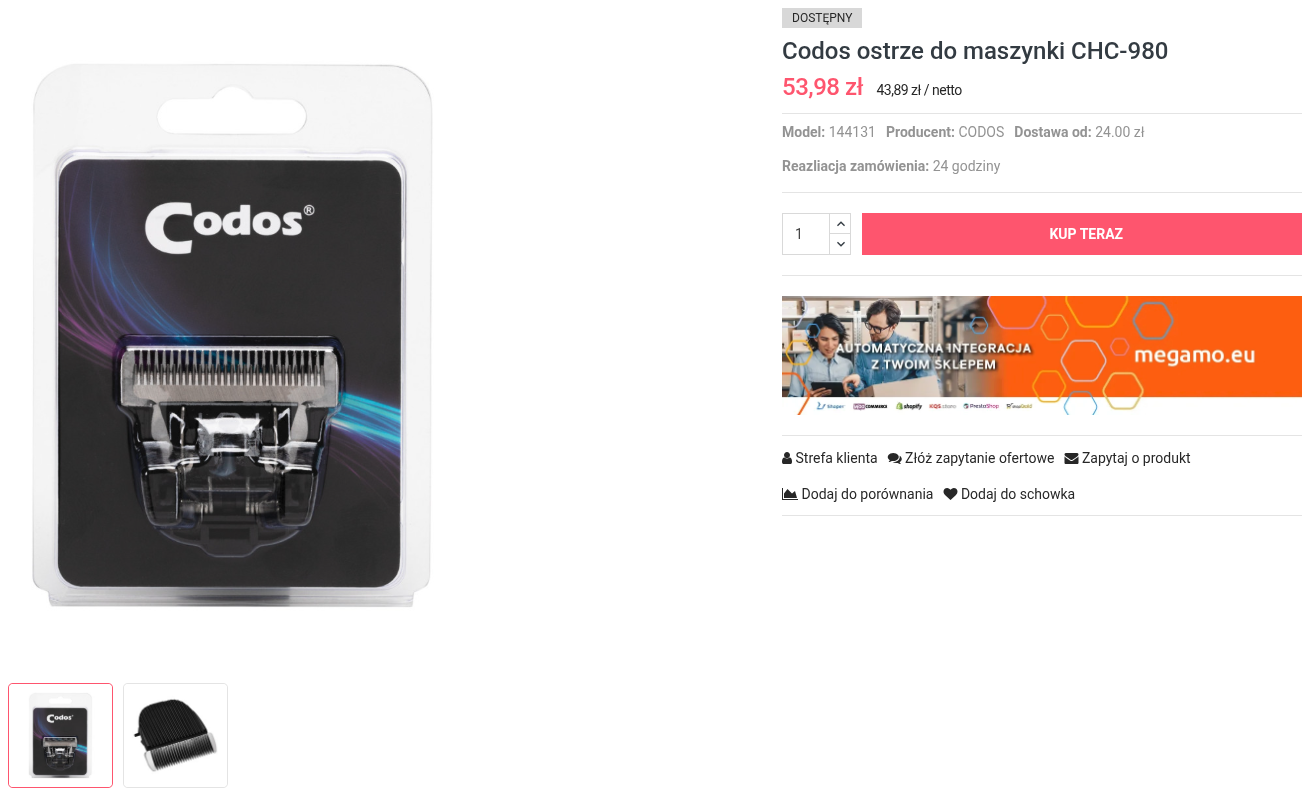
This PrestaShop module lets you display a dedicated marketing banner on the product page only for products within a selected price range. You define the minimum and maximum product price, and whenever a product fits that range, the banner is shown automatically in a prominent place near the add to cart area.

You can upload separate graphics for desktop and mobile, so the message looks good on every device. If a product falls outside the configured range, the banner simply doesn’t appear – thanks to that your communication stays consistent and you avoid showing benefits that don’t apply to a given product.

It’s a practical tool for marketing and sales teams: perfect for highlighting special financing, premium offers, free delivery above a certain value, or bonuses available only for products within a specific price bracket.

Benefits


More relevant promotions on product pages

Consistent messaging for price-based offers

Less manual work updating campaign graphics

Features

Key features of the module:

  • Price-range based display – show the banner only for products whose price falls within your defined minimum and maximum.
  • Dedicated product page banner – the message appears in a visible area near the add to cart section for maximum impact.
  • Separate images for desktop and mobile – upload different creatives for larger screens and smartphones for better UX.
  • Single active campaign – manage one clear price-range promotion at a time to avoid conflicts and confusion.
  • Simple back-office configuration – set thresholds, upload or replace graphics, and preview the banner from the admin panel.
  • Automatic hiding outside the range – if a product doesn’t meet the price criteria, the banner is not displayed.
  • Back-office only logic – no need to edit the theme manually, the module integrates with the existing product layout.
  • Compatible with PrestaShop 1.7.6+ – ready for modern, actively managed online stores.

Installation

For Prestashop 1.7.x and above:

  • Login into your shop’s back office
  • Go to “Module Manager”
  • Click on “Upload a Module”
  • Browse for the module
  • Upload and install the module

Tags

prestashop module, prestashop addon, prestashop plugin, price range banner, prestashop product banner, show banner by price, conditional banner prestashop, prestashop promotion banner, dynamic product banner, highlight offers by price, prestashop product page promotion, ecommerce product messaging, prestashop marketing tool, prestashop admin tool, product level promotion, price based promotion, product page upsell, visual promo banner, targeted product campaigns
